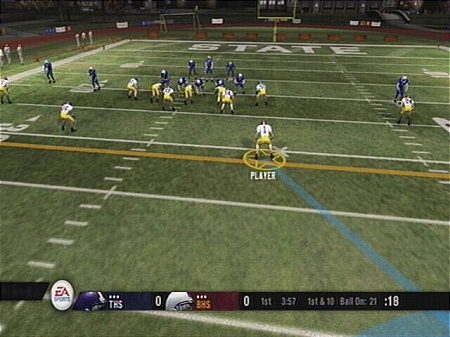
A look at the positional camera angles for Campus Legend
 by
by 
This year EA has worked a lot to make the experience in the former Race for the Heisman (now Campus Legend) and Madden Superstar modes much more enjoyable. One of the biggest complaints has been the camera angles. Originally RFTH and Madden had your guy on the field but you played the game like normal. Then they switched over to having position specific cameras and locking you into your individual. The camera angles specifically for Madden last year were atrocious and made playing most if not all of the positions at worst nearly impossible, at best not fun.
Here with Campus Legend we get our first look at the changes that they have made with the camera angles. I have taken a screen from the perspective of each position to give an idea of what to expect. In general they are somewhat similar. You have a much better view of the entire field while being tailored to each position. The camera may start out high, and zoom in somewhat. Or it may start more zoomed in, and then fade out. It depends on the action that is taking place at the time.
Overall it seems that the toughest camera issues to deal with comes on special teams or after an INT or fumble. While blocking on a kickoff or punt return, the camera follows the ball possibly leaving you off the screen so you have to guess. And then when the returner gets the ball, the camera spins back around so there is another adjustment to deal with. On an INT/fumble the camera swings around again putting you somewhat off balance.
Despite those small issues, I'm pretty satisfied with the camera situations. I think most people will find them to offer a fair experience no matter the position they choose.
Campus Legend offers the following positions to play from: QB, RB, WR, DE, DT, OLB, MLB, CB, FS, SS
Click through for details on and a screenshot of every position's camera angle.
QB: One of the more popular positions since the QB touches the ball on every offensive play. If you like action then this is the premiere spot to take. However it may be too easy to rack up stats. I can't say that with any certainty as I didn't see any sort of difficulty setting though I didn't really look for it. But on the one play I ran in order to get this screen, I threw a TD pass. You get a full view of the field with the QB, and then once the pass is thrown or once he crosses the line of scrimmage while running the camera zooms in much closer.
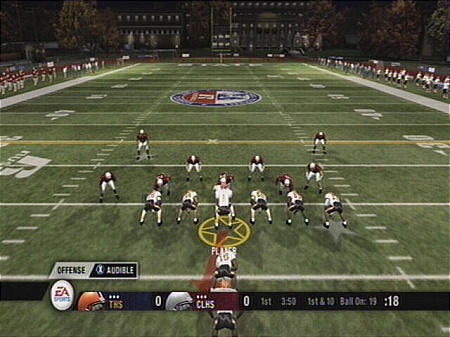
RB: Another action filled position. Again this may be one of the easier ones to do. In the two plays I ran in order to grab the screen, my RB scored a TD on a 68 yard pass reception after breaking a tackle, and then scored a TD on a 74 yard run.
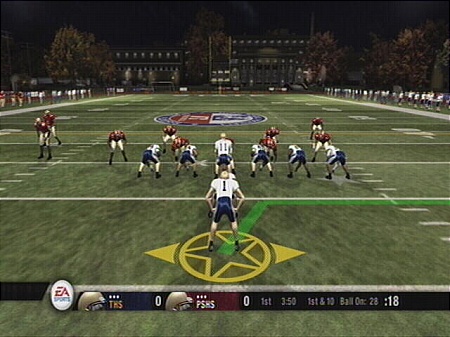
WR: Somewhat less involved than the other two offensive positions but still will get a fair amount of chances to make plays. Starts out pulled back and zooms in somewhat during the play.
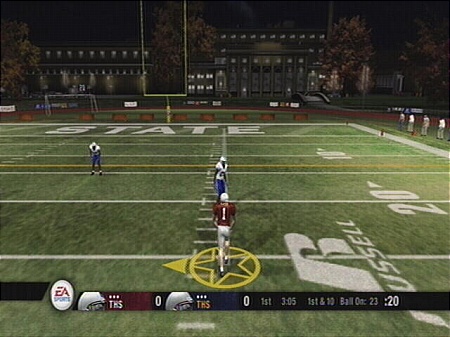
DL: Starts out with a medium level view. Zooms in as the play progresses.
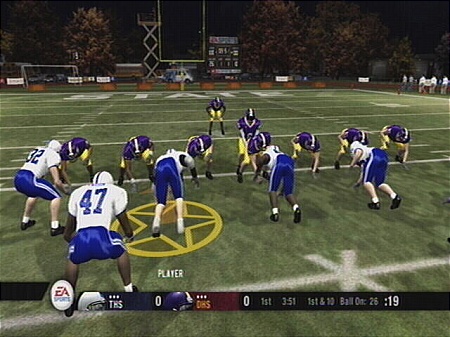
LB: Starts out with a medium level view. May zoom in if you rush the passer or head towards the ball carrier, may zoom out if you're in pass coverage.
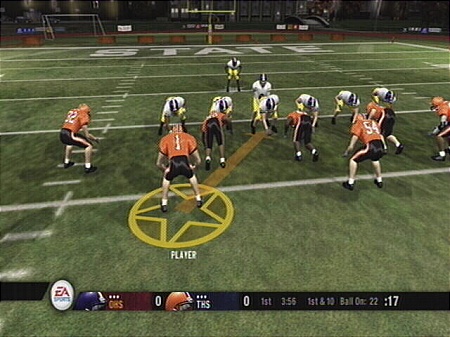
CB: A high look at the field and slightly slanted in order to allow for view of the receiver as well as the line of scrimmage.
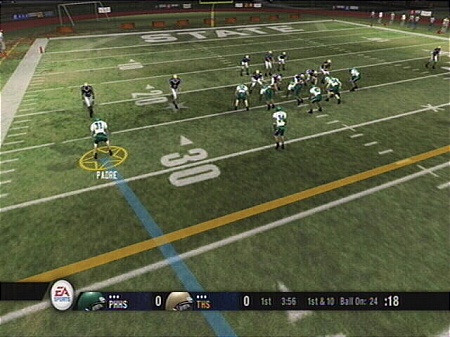
S: Similar to the CB but more centered.