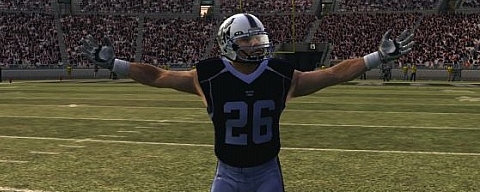
Far and away most anticipated aspect of NCAA Football 10 has been the addition of Teambuilder. As always there is some trepidation at first when it comes to whether a new feature will work properly especially at release time. I have been able to dig into the feature and create a quick walkthrough of the steps. Continue on to check that out along with some screenshots of different created teams!
Head to the Teambuilder section where you’ll be able to enter in code for the initial 12 team slots. The code is found on the back of the instruction manual. And as I found out yes, you have to enter in the dashes. Remember the code only works once meaning you’ll have to purchase the game new in order to take advantage of that.
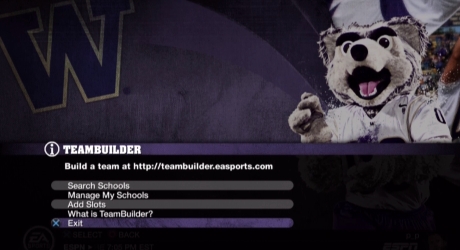
From “Manage Schools” you can choose to delete a school you’ve downloaded. This does open the slot back up for downloading a new team. You can also “Check for School Update” in which you would be able to download the most recent version of that team if changes had been made. This would only work for Play Now or new dynasties as you won’t be able to update a team mid-dynasty.
With the “Add Slots” option you are presented with the opportunity to purchase either your first 12 slots (if you bought the game used) or extras to add on to the original 12. This is also where you would go to redeem a code such as the one from Gamestop which is giving out an additional 13 slots to preorders.
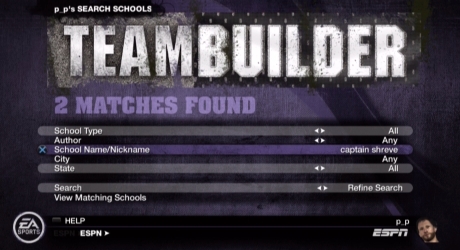
Once you click on “Search Schools” you’ll come to this screen. Unfortunately the ability to search by Author has not been working consistently. It hasn’t been producing results. So the way I used around that is to search by school name. This isn’t ideal though since there can be a lot of schools by the same name and then it’s a matter of previewing each one to find the one you’re looking for. Hopefully the full search functionality will be up and running consistently by Tuesday. At the moment it is working properly for the first time.
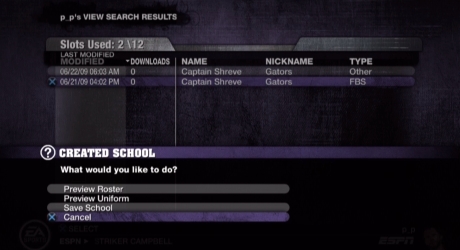
After clicking on “View Matching Schools” you come to the screen that shows all of the teams based on your criteria. In this case there were only two. You have the option to view the uniform and roster before downloading them. Once you have found the school you want choose “Save School”.
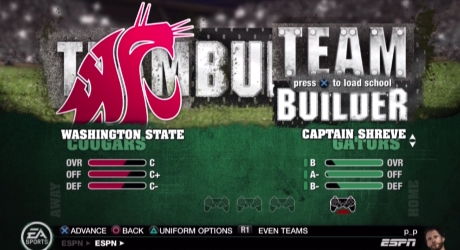
After it saves you can back out to the main menu to use them. In this case I just went to Play Now but they can also be used in Dynasty or Online Dynasty. When you flip through the teams they’ll all be at the start of the rotation. Click to load up the school.
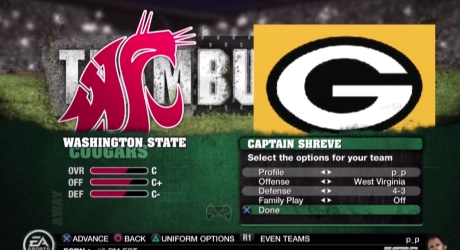
Now the school is all loaded with the settings that came with it. You have the opportunity to mix and match the uniforms just as you do with any other team in the game. Fire it up and you’re playing with the created school!
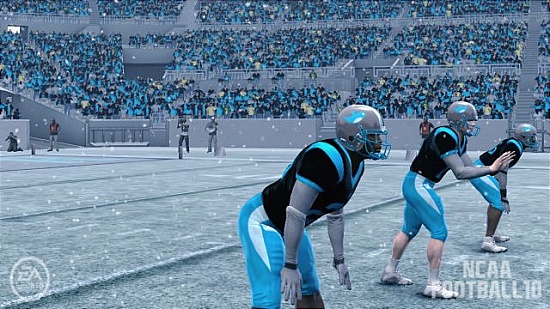
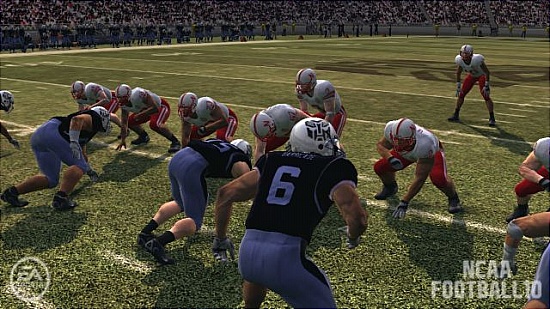
Outside of the issue with searching for teams the feature has worked beautifully. The quality of the uniforms and logos on the field are extraordinary. What amazes me the most is that I am not good with designing things or using image programs, yet I was able to easily make teams such as my Transformers and Twitter ones that look really clean and professional. That EA was able to capture the accessibility while still offering something that has lots of detail and depth is really quite an accomplishment.
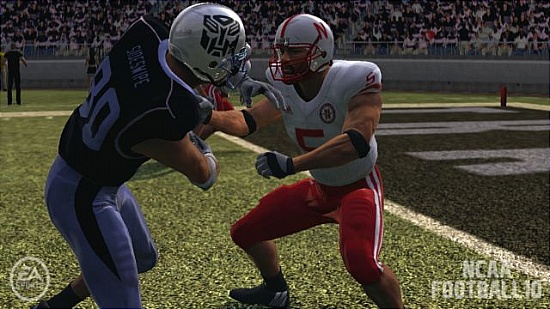
I have a video of my Transformers team in action that will go up on Monday. Next is to try importing them into Online Dynasty. If that goes smoothly than Teambuilder has proven itself to be a huge success having avoided the initial issues that tend to plague new features and modes.
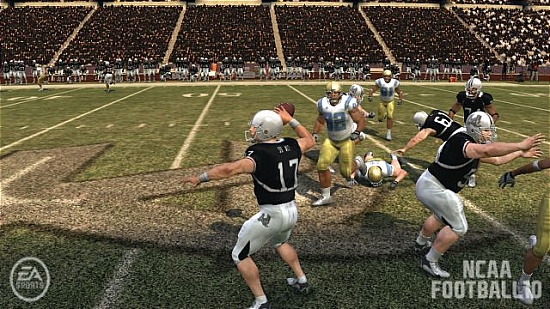
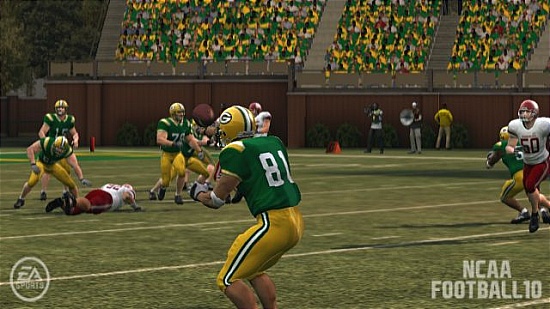
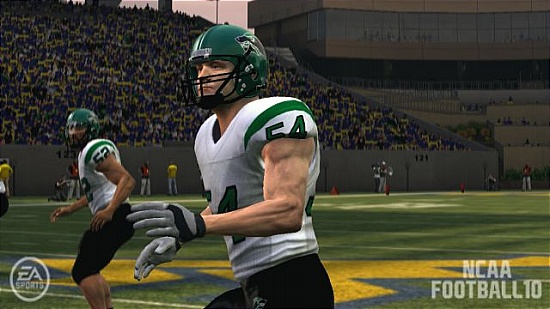
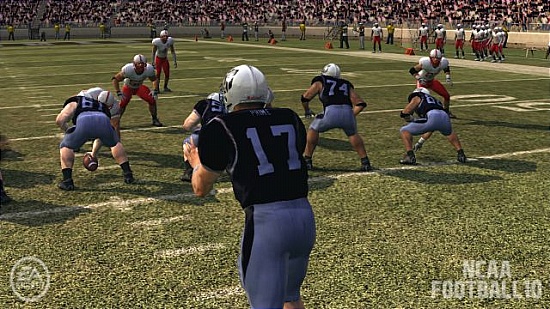
Now for a couple teams I downloaded thanks to requests made in the comments. I doubt I’ll have time to do any more but I wanted to at least get a couple out. Included below are screenshots of Masta Solidus’ Pastapadre Killer Instinct, Ty’s Captain Shreve Gators (recommend you knock out the yellow background in your logo), Brownsboy315’s Cedar Park Timberwolves, and more of my Transformers. Also make sure to check out screenshots of the community Pastapadre Ninjas team in the forum!
July 11, 2009 at 10:11 pm
Very nice…I cannot wait to download my team…
Pasta, I know it is early but any news on complete roster files upon release?
July 12, 2009 at 4:01 pm
Yea me too
July 12, 2009 at 9:26 pm
+3
July 11, 2009 at 10:20 pm
NICE!!
July 11, 2009 at 10:21 pm
Pretty bad Packer's home jersey…
July 11, 2009 at 10:28 pm
That's supposed to be a High School's jersey I believe. Captain Shreve Gators.
July 12, 2009 at 2:51 am
DUDE!!!!!!!!!!!!!!! PASTA!!!!!!!!!!!! Thanks for Down Loading my Highschool!!!!!!!!!!!!!!!!!!!!!
July 12, 2009 at 9:49 am
nice team bro looks just like them….i live in LA so I like the accuracy….I also agree with pasta for the background……..and RMerino ure an idiot lol
July 12, 2009 at 3:41 pm
Did you go there?
July 12, 2009 at 9:50 am
o yea by the way pasta nice redesign of the site!
July 11, 2009 at 10:29 pm
If you say so, Pasta.
July 12, 2009 at 12:06 am
^Its a high school. Located in Shreveport, LA.
July 11, 2009 at 10:30 pm
I was so excited about this game! And now my PS3 is dead! It has the yellow light of dead or something like that…Pasta do you know how can I fix this? ( I do not live in the US and I bought my PS3 like two weeks after it was release so it doesn't have any guarantee)
July 11, 2009 at 10:33 pm
okay. still have doubts and questions
July 11, 2009 at 10:38 pm
ahh monday at midnight cant wait any idea if monday night if people with have the rosters up
July 11, 2009 at 10:55 pm
I think it was a day or two before they had them last year. That's just an incredible amount of work but I'm sure someone will try.
July 12, 2009 at 5:08 am
im guessing it will prolly take a week to put together
July 11, 2009 at 11:25 pm
Can you post allentown Central Catholic Vikings creator pyellowbucha
July 11, 2009 at 11:33 pm
when you download a teambuilder team do you have to get rid of an existing school?
July 12, 2009 at 2:15 am
I think only in dynasties. I didn't get asked to replace a school for Play Now use.
July 11, 2009 at 11:38 pm
Are you gonna make a video pasta
July 12, 2009 at 2:15 am
I have some videos but can't post them until Monday.
July 12, 2009 at 12:15 pm
That's right so sorry for wasting your time pasta
July 11, 2009 at 11:38 pm
How many teambuilders spots do you get if you dont buy the game?
July 12, 2009 at 2:24 am
Can you load like 3 teams that you make and put them all into the same conference in dynasty?
July 12, 2009 at 3:59 am
I believe so yes, you should be able to replace as many teams in a dynasty as you have slots to carry them.
July 12, 2009 at 3:00 am
u gotta have online???
July 12, 2009 at 3:40 am
ouch
July 12, 2009 at 3:46 am
I was wondering if you have put the game on your hard drive and see if there is any real difference in loading.
July 12, 2009 at 4:00 am
Dont have it for the 360 yet, just the PS3. I'll check that next week.
July 12, 2009 at 4:32 am
Pasta can u take out the Florida Atlantic etc teams
July 12, 2009 at 4:44 am
Whats your real job?
July 12, 2009 at 4:46 am
he lives in his moms basement studying sports games….wow im jealous i wish i could be like Pasta
July 12, 2009 at 5:04 am
..and they all wondered and asked, "Why didn't 2K Sports do this?"
July 12, 2009 at 5:11 am
hhahahahahhaahhhahaah wish i could give etwo thumbs up
July 12, 2009 at 5:43 am
APF could've succeeded with this. I mean this is a feature that isn't tied to NCAA. It could work for any sport and any league structure.
July 12, 2009 at 5:14 am
I have a quick question Pasta… can one person still only host one OD again?
July 12, 2009 at 5:42 am
I believe that is the case again yes.
July 12, 2009 at 5:42 am
I believe that is the case again yes, though I can't say with 100% certainty.
July 12, 2009 at 5:30 am
Its not hard to be the most anticipated thing in NCAA 10 when aside from that its the same as 09
July 12, 2009 at 5:32 am
Every player model looks the same when you take away the accessories. This is embarressing for a next gen game. Thank god for the custom jerseys, because aside from them, its clones vs. the clones.
July 12, 2009 at 8:05 am
This game is a total waste of 60$, they could have at least charged only 30$ if they were doing to put out a game so similar to 09, which wasn't no classic to begin with
July 12, 2009 at 10:38 am
Teambuilder, far and away my LEAST anticipated feature of NCAA 10.
July 12, 2009 at 3:17 pm
Definately not as exciting as the revamped volume and brightness sliders.
July 12, 2009 at 4:00 pm
LOL
July 12, 2009 at 3:45 am
Thanks Again Pasta for downloading the Gators!!!!! For anyone else, Make sure To download the Captain Shreve Gators by beware_of_dware
July 12, 2009 at 5:40 am
Pasta, download the West Side Roughriders from Newark, NJ…Pretty Please With a Cherry on Top =p
July 12, 2009 at 4:08 pm
Can we replace the faKE FCS schools
July 12, 2009 at 5:23 pm
Yo Pasta, is this worth $60?
July 12, 2009 at 5:59 pm
Pasta quick ? I was thinking about. With teambuilder teams. I know you can play them in OD so, can you play them in just a normal online match 1v1?
July 12, 2009 at 5:59 pm
Pasta quick ? I was thinking about. With teambuilder teams. I know you can play them in OD so, can you play them in just a normal online match 1v1?
July 12, 2009 at 5:59 pm
Pasta quick ? I was thinking about. With teambuilder teams. I know you can play them in OD so, can you play them in just a normal online match 1v1?
BTW, love the new look
July 12, 2009 at 7:02 pm
Pasta,
can we choose white or black for socks and cleats? Or just what we picked in teambuilder?
July 12, 2009 at 8:06 pm
This is nothing but NCAA hype central, and the game has been RELEASED. EA wont allow this website to even begin to write up a real review of the game until the initial sales have been sold. Read the real reviews people, although EA has probably bought most of them off, so go on the message boards, and read the user reviews. The game is getting trashed.
July 13, 2009 at 4:17 pm
Can you system link ncaa 10